

AI Is Everywhere Now: A Friendly Guide to How It’s Changing the Game
Have you ever had an experience like this? Waking up in the morning, your phone alarm goes off right on time—this is AI learning your sleep patterns. Scrolling through social media, the content you see happens to be exactly what you're interested in—this is AI analyzing your browsing habits. Opening your email, those spam messages have already been automatically sorted into the trash—this is also AI's doing.
Artificial intelligence has quietly seeped into every crack of daily life. It's no longer just a game for tech giants, nor is it a distant concept from sci-fi movies. It's the technology that lets phones understand human speech, the "behind-the-scenes pusher" that lets e-commerce sites always guess what you want to buy, and the "eyes" that allow cars to "see" pedestrians and obstacles.
From chatting with customer service bots on websites to helping fishermen determine the best time to catch lobsters, AI has become a practical tool that many people come into contact with every day, without necessarily realizing it. Some people are using AI to treat insomnia, some are using it to learn foreign languages, and others are using it to create promotional posters for their small businesses.
This guide aims to talk, in the most straightforward way, about what today's AI can actually do. It will cover how ordinary people can use AI to make life easier, how office workers can rely on AI to improve work efficiency, and how researchers can leverage AI to make breakthrough discoveries. Later, there will be a practical table that clearly organizes the specific applications of AI in different industries.
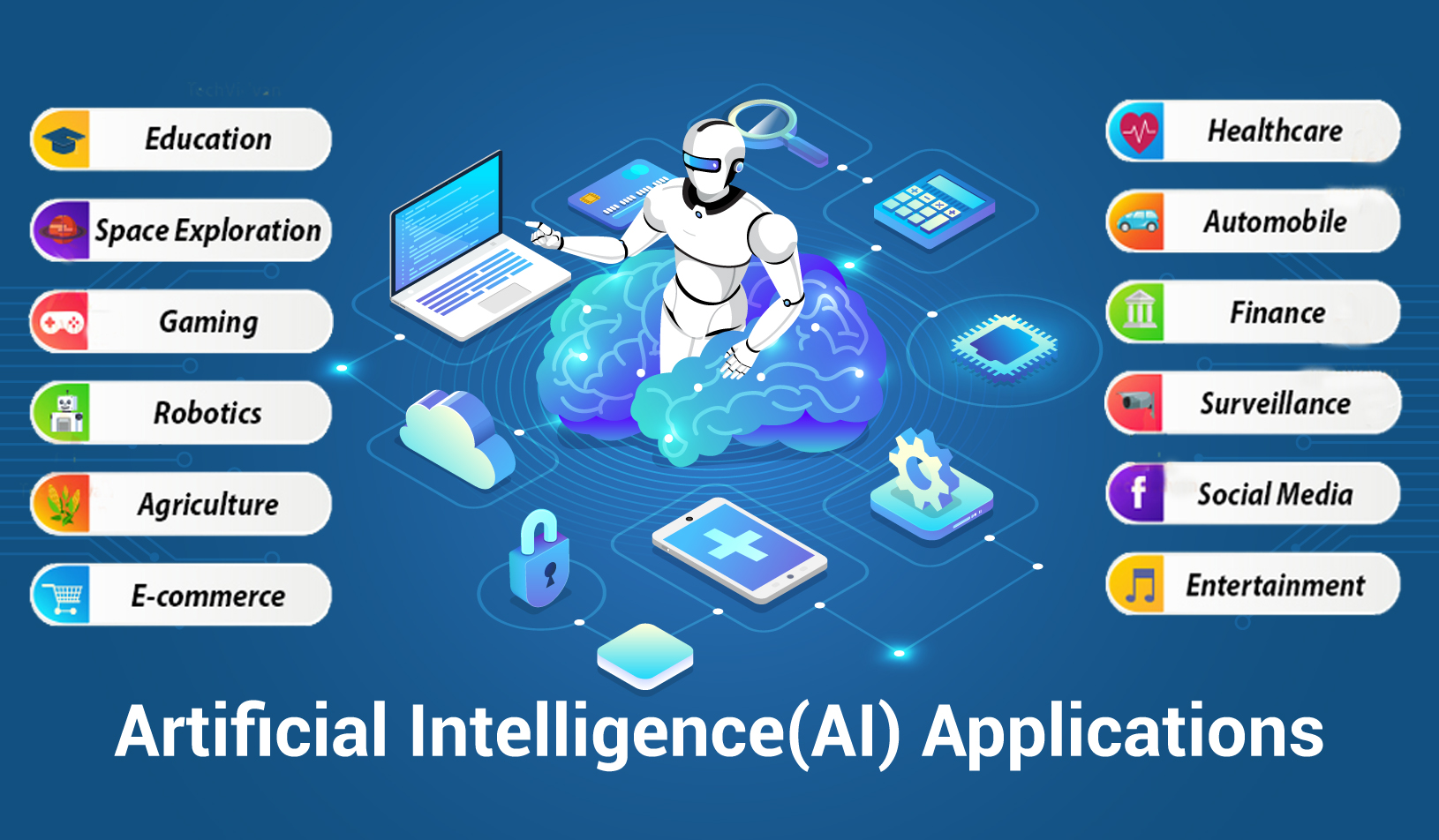
First, Take a Look at a Table: What AI is Doing in Different Scenarios
To give everyone an intuitive idea of the breadth of AI's uses, the table below organizes specific applications of AI in life, work, and research. You might be surprised—it turns out AI is behind many more things than you'd think.
| Application Scenario | Specific Uses | Who Benefits | Real-Life Examples |
|---|---|---|---|
| Daily Life | Voice assistants, personalized recommendations, smart home, photo organization, route planning | Anyone using smartphones, computers, and the internet | Setting reminders with a phone voice assistant; Netflix recommending movies; robot vacuums planning their own cleaning paths |
| Workplace & Office | Document drafting assistance, automatic email sorting, meeting minutes generation, data analysis | Office workers, managers, administrative staff, HR | Drafting weekly reports with AI tools; AI automatically summarizing a one-hour meeting recording |
| Content Creation | Generating article drafts, creating posters/images, editing videos, composing background music | Writers, designers, vloggers, musicians | Entering a few keywords for AI to generate an image; using AI tools for quick short video editing |
| Education & Learning | Personalized tutoring, language learning partners, essay polishing, Q&A | Students, teachers, lifelong learners | Asking AI to explain "quantum mechanics" in simple terms; getting AI help to correct English essay grammar |
| Programming & Development | Auto-completing code, finding bugs, explaining complex code segments | Programmers, software engineers, coding beginners | AI automatically suggesting the next line while coding; asking AI to explain an obscure piece of legacy code |
| Customer Service | 24/7 online support, automatic responses to FAQs, customer sentiment analysis | E-commerce sellers, service industry, corporate customer service departments | Getting instant replies from an AI chatbot when inquiring on a website late at night; AI analyzing sentiment in customer complaint emails |
| Healthcare & Wellness | Assisting in analyzing medical images, monitoring sleep quality, recording exercise data | Doctors, patients, health-conscious individuals | Smartwatch detecting abnormal heart rate and alerting to seek medical attention; AI assisting doctors in reading CT scans |
| Scientific Research | Predicting protein structures, analyzing climate data, screening drug molecules | Researchers, medical scientists, climatologists | AlphaFold predicting hundreds of millions of protein structures; AI screening candidate drug from vast compound libraries |
| Agriculture | Monitoring crop growth, predicting pests/diseases, optimizing irrigation plans | Farmers, agricultural companies, food supply chains | Drones capturing farmland images, AI analyzing which areas lack water or need fertilizer |
| Financial Services | Risk assessment, detection, robo-advisory, credit scoring | Banks, insurance companies, regular savers | Banks using AI to monitor unusual transactions in real-time, preventing credit card |
So, What Exactly Are People Doing with AI?
After looking at the table above, you probably get a sense of how wide AI's application range is. But specifically for each person, what can it actually be used for?
Think of AI as an assistant who knows a little bit about everything and never gets tired of helping. What it's best at is finding patterns from vast amounts of information and then helping people work based on those patterns. Some people use AI to name a new puppy, and it can give dozens of options in one go. Some use it to plan a week's worth of dinner recipes, even generating a shopping list. When a student encounters a history question they don't understand, they can take a photo and send it to AI, which can re-explain it in terms a young child could understand.
In more professional circles, the uses are even more diverse. When writers hit a wall, they chat with AI to get some inspiration. Musicians use AI to generate strange sounds, which they then process into special effects for their tracks. When programmers get tired of writing code, they ask AI to help check for bugs. When translators get an urgent job, they use AI for a first draft and then polish it themselves, significantly improving efficiency.
An interesting phenomenon is that AI is becoming a kind of "universal translator"—it can translate what a layperson says for machines to understand, and it can also translate professional knowledge into language that ordinary people can grasp. This allows many things that were once only doable by experts to now be tried by regular folks.
AI in Daily Life: Turning Hassles into Convenience
In the daily grind of life, AI is like that handy Swiss Army knife you carry around. It might not seem like much, but it really comes through in a pinch.
Smartphones have a bunch of AI living inside them. After taking photos, the gallery app automatically organizes them by face, location, and time, so you don't have to flip through endless pictures to find the one you want. Navigation apps analyze traffic in real-time and automatically suggest new routes when there's a jam, often better than a person could judge. Video sites and music apps get better and better at knowing your taste, and most of what they recommend hits the mark.
Smart home devices are getting smarter too. Air conditioners learn the household's routine and only turn on automatically when someone is almost home, saving electricity. The first time a robot vacuum enters a room, it slowly roams around, memorizing the positions of furniture. After that, it knows where to focus its cleaning and where to navigate around. Smart speakers give weather reports in the morning, reminding you to take an umbrella or an extra layer, and at night, you can just say a few words from bed to turn off the lights or set an alarm.
Even the small task of checking email gets AI help. Those ads and scams emails get thrown into the spam folder before you even see them. Important emails get starred or pinned, ensuring you don't miss them. Behind all these seemingly effortless conveniences, AI is quietly working.
Beyond these, AI has even more uses in daily life. Fitness enthusiasts use AI to track every workout; the AI on their watches can analyze running form and, based on heart rate changes, tell the user if they've overdone it. People who like to cook might open the fridge not knowing what to make, snap a photo, and send it to AI, which can recommend a few dishes based on the leftover ingredients. In homes with elderly people, smart cameras use AI to detect if an elderly person has fallen; if an anomaly is detected, it automatically alerts family members. Can't sleep at night? Chatting with the AI on your phone for a bit, listening to its stories or white noise, works better than counting sheep.
These little things, insignificant on their own, add up and genuinely make day-to-day life a bit smoother.
AI at Work: A Helping Hand, Not a Job-Stealing Rival
In the office, AI is a bit like that new intern who just joined: quick, a fast learner, does whatever you ask, but sometimes needs a bit of guidance and supervision.
People in different industries use it differently:
- In customer service: The most annoying thing is answering the same questions every day. "What time do you close?" "How do I return this?" "Is this in stock?" Now, AI bots can handle all these questions, and they're online 24/7, so someone gets a reply even in the middle of the night. If the AI encounters a tricky problem it can't solve, it can pass it on to a human agent. According to a 2023 survey by Gartner, over half of organizations were already using chatbots in customer service.
- For writers: People running public accounts, writing copy, or preparing reports dread staring at a blank document. Now, they can have AI throw out a few headlines to get ideas flowing, or dump a pile of messy information at it and ask for a summary, saving a lot of brainpower.
- For coders: When programmers write code now, often they just type a few letters and AI autocompletes the whole line. When they encounter incomprehensible old code, they can take a screenshot and send it to AI, which will explain line by line what it does. When hunting for bugs, AI can help keep an eye out too.
- For data handlers: Marketing folks have to produce monthly reports. In the past, they'd spend ages slogging through Excel. Now, they can just throw raw data at AI and say, "Make me a table and draw a chart," and it's done in minutes.
- In the legal field: Before a lawsuit, you need to research a pile of past cases, and thick stacks of files make your eyes sore. Now, having AI help sift through them and pick out the most relevant pages can save several all-nighters.
Beyond these, AI at work can do even more. Salespeople, before meeting a client, can ask AI to look up recent developments in that company and who the key contacts are in procurement, saving last-minute scrambling. HR professionals, overwhelmed by hundreds of resumes, can let AI do a first pass and pick out the best matches for a closer look. Trainers preparing materials for new employees can toss a few hours of lecture recordings at AI, and it will automatically organize them into an outline. Architects, when drawing plans, can have AI alert them to potential pipe conflicts or structural issues. Accountants, facing a headache from end-of-month reconciliations, can have AI check accounts in minutes and flag discrepancies. Even the small matter of meetings: AI can record who said what and automatically generate and send action items to everyone involved.
Interestingly, AI doesn't just help with work; sometimes it reminds people not to do silly things. If an email tone is too harsh, AI might suggest a softer rewording. If a contract clause might be a trap, AI might highlight it for closer inspection. Before giving a speech, running it past AI might reveal where the delivery gets too wordy.
AI in Research: Helping Scientists Move Faster
Where AI truly shines is in areas where human effort simply can't reach. The data scientists face is vast—more than a person could ever sift through in a lifetime. In these cases, AI becomes an indispensable tool.
- In medicine: Doctors read CT scans and X-rays based on experience, and sometimes they miss things. After being trained on thousands upon thousands of images, AI models have remarkably steady "eyes." A study published in the journal Nature in 2020 showed that one AI system, when detecting breast cancer in mammograms, actually outperformed a group of human radiologists in accuracy.
- Studying Earth's climate: Climate models are incredibly complex. Satellites beam down images constantly—far more than people can ever look at. AI can automatically analyze these images, tracking deforestation or the accelerated melting of glaciers clearly.
- Figuring out proteins: Biology has a classic tough problem: knowing a protein's gene sequence doesn't tell you what shape it will fold into. That shape directly determines what the protein does. It used to take scientists years to figure out one protein structure. DeepMind's AlphaFold predicted the structures of almost all known proteins, totaling over 200 million. This dramatically accelerates research into new drug and materials.
How Far Can AI's Reach Extend? From a Single Chatbot Sentence to an Entire Lobster Supply Chain
The AI's application scenarios can sometimes be astonishing. At one end, there's the customer service bot in the corner of a website, answering simple questions like "What time do you close?" or "How do I get a refund?" At the other end, AI is figuring out how to make an entire lobster business more efficient.
Take the "lobster" example mentioned earlier. How many things can AI do in this supply chain?
- Before going out to sea: AI analyzes ocean temperature, salinity, and historical catch data to tell fishermen which day is most likely to yield a good haul.
- After the catch: Live lobsters are temporarily kept in tanks. AI monitors them via cameras and can instantly detect if any lobster seems unhealthy.
- During transport: AI plans the optimal shipping routes, calculates which cities have the highest demand and what price will sell best.
- Before it hits the table: Restaurants use AI to analyze customer preferences, deciding whether today's lobster should be garlic or cheese baked.
From the fishing boat's wheelhouse, to the supermarket cold storage, to the restaurant kitchen, AI truly provides "full-process coverage." This is what's happening right now.
Starting with AI Now: It's Neither Too Late Nor Too Early
Some might think: Hasn't this thing already peaked? Isn't it too late to start learning about it now? Actually, there's no need to think that way.
Whenever something new comes out, the earliest adopters always have to stumble around and figure things out for a while. Back then, the tools weren't user-friendly, tutorials were scarce, and you were on your own. It's different now. Various AI tools have become much more like the everyday software we use—easy to pick up and get comfortable with after a few tries. It's like when smartphones first appeared; some people thought their keypad phones were fine and didn't want to switch. Later, they found they couldn't even get a ride without a smartphone, so they gradually all switched. It's a similar process now.
Another interesting observation: Young people use AI fluently, but older folks sometimes have a clearer idea of what practical problems AI can solve. A twenty-something might ask AI to write a love letter, while a forty or fifty-something might ask AI to help budget household expenses or figure out which after-school tutoring class offers the best value for their child. Using AI has nothing to do with age, and everything to do with whether you want to save yourself some trouble.
So it's never too late to start. A few days, or even weeks, don't make that much difference. The key is being willing to give it a try.
What's Different About Getting Good at Using AI?
Over time, people who use AI skillfully and those who don't will indeed start to pull apart a bit. The main differences show up in a few areas:
Time is spent more wisely: A report that used to take a whole morning to write now gets done in two hours, freeing up time for other things. Half a Saturday once spent researching recipes and making shopping lists now takes minutes. The time saved, whether used for sleeping or spending with family, is a nice bonus.
Some previously impossible things become doable: Someone who can't draw can use AI to illustrate their child's stories. Someone who doesn't know code can use AI to build a simple webpage. Someone who can't edit video can use AI to turn travel footage into something shareable on social media. AI has lowered many professional barriers.
Ways of thinking change: When faced with something unknown, the old options were either to rack your brains alone or ask around. Now there's an extra option: ask AI if it has any ideas. You don't have to follow it blindly, but having another reference never hurts. Sometimes its answers are silly, but other times it offers perspectives you hadn't considered.
The cost of trial and error drops: When unsure about the tone of an important email, you can have AI draft a version first and adjust from there. When stuck on how to start a proposal, let AI throw out a few frameworks and pick one to fill in. Since it doesn't cost anything, a few tries usually yield something usable.
This isn't to say using AI magically transforms you—it's not that powerful. But if you get the hang of it, it can genuinely make day-to-day life a bit easier and get some things done a bit faster.
Which Models Are Doing All This? A Look at the Toolbox
AI isn't one person or one thing. There are various models on the market, each good at different tasks. The chat tools people usually use are generally powered by the ones listed below:
| Model Name | What It's Good At | Common Uses |
|---|---|---|
| GPT-4 | Chatting, writing, summarizing, coding, analyzing images | The powerhouse behind ChatGPT, good for general conversation |
| Claude | Handling long documents, logical reasoning, tasks with high safety requirements | Good for analyzing dozens of pages of PDFs or logic problems requiring step-by-step deduction |
| Gemini | Multimodal processing (handles text, images, audio, video together) | Can understand video content, follow spoken language, read books and newspapers |
| LLaMA | Provided for researchers to develop further | Widely used in academia, many new ideas are tested on this base |
| DALL-E | Generating images from text descriptions | Input "a cat in a suit attending a meeting," get an image instantly |
| Midjourney | Generating artistic-style images | Commonly used by designers for inspiration, posters, illustrations |
| Stable Diffusion | Open-source image generation model | Because the code is public, many third-party apps use its engine |
You Can Try It Now: How to Get Started with AI
Just reading without practicing is no fun. If you're itching to give it a try, the barrier to entry is much lower than you might think.
Find a chatbot to chat with: There are quite a few AI tools available now that you can talk to directly. Sign up for an account and just type in a question like "What's a black hole?" or "Give me three good ideas for kills time this weekend." No need to worry about asking something silly—it doesn't hold grudges.
Try an image generation tool: Some websites and apps can create pictures based on descriptions. Type in "a cat at sunset, cartoon style," and it will draw one in seconds. If you're not satisfied, you can refine the description until you like the result.
Download an app on your phone: Official apps usually support voice input, which is easier than typing. You can use it while driving or cooking—just say it out loud.
The secret: Be specific. The more detailed your request, the better the output. Instead of just "write an email," try "write a polite email to my landlord saying the heating is broken and asking if someone can come fix it." The more specific you are, the more usable the result.
Conclusion: AI Is Already Part of Life
Without even noticing, AI has become that inconspicuous yet indispensable helper in life. It helps choose what show to watch at night; it helps calculate when to wake up in the morning; when doctors see patients, it helps them read scans; when scientists do research, it helps them analyze data.
It's not the kind of thing that makes a big fuss. It doesn't show off, but it's genuinely useful when it works. Understanding what it can and cannot do gives you a better sense of how to use it. It's not some miracle cure; it's just a tool. It can help brainstorm, organize things, and handle some repetitive chores.
The best approach might just be to treat it like a new acquaintance, chat with it curiously, and see what it can help with. You might just discover some unexpected uses.
Information source:
- https://www.nature.com/articles/s41586-019-1799-6
- https://www.nature.com/articles/s41591-020-0776-9
- https://www.nature.com/articles/s41586-021-03819-2
- https://alphafold.ebi.ac.uk/
- https://www.ebi.ac.uk/about/news/technology-and-innovation/alphafold-200-million
- https://deepmind.google/science/alphafold/
- https://www.gartner.com/en/articles/customer-service-ai
- https://www.gartner.com/en/newsroom/press-releases/2023-12-04-gartner-survey-shows-39-percent-of-organizations-currently-use-ai-in-the-finance-function
Related Articles
Mental Health Guide: From Self-Observation to Clinic Help
Dec 5, 2025 at 7:51 AM
Personal Fuel Cards in the U.S.: A Practical Guide to Saving Money While Driving
Mar 9, 2026 at 8:30 AM
U.S. Visa Application in Malaysia: A Practical Guide
Mar 9, 2026 at 7:46 AM
AI Applications in the U.S.: A Realistic Guide for Everyday Life
Mar 9, 2026 at 5:40 AM
What Is a Backyard Apartment? A Practical Guide to Design, Costs, and Regulations
Dec 29, 2025 at 6:28 AM
About Laser Pigment Removal: What You Need to Know
Jul 15, 2025 at 9:17 AM
A Guide to Corporate Wellness Programs: A Real-World Look at Workplace Health Initiatives
Mar 4, 2026 at 9:23 AM
Understanding Mobile Phone Plans with Considerations for Older Adults
Feb 4, 2026 at 7:05 AM
Legal Advisory Services: Principles, Roles, and Professional Contexts
Mar 19, 2026 at 9:43 AM
Tattoo and Permanent Makeup Services: Principles, Techniques, and Safety Considerations
Mar 19, 2026 at 9:50 AM
Renting Storage Space, What Are the Options
Mar 17, 2026 at 5:29 AM
Postpartum Care Services: Overview, Practices, and Operational Insights
Mar 11, 2026 at 10:25 AM
Cyber Insurance: A Practical Guide to Protecting Your Digital Life
Mar 16, 2026 at 8:03 AM
Office Cleaning — Principles, Mechanisms, and Organizational Implications
Mar 18, 2026 at 10:17 AM
The Complete Guide to Custom Mailer Boxes in the United States: From Concept to Creation
Mar 12, 2026 at 7:59 AM
Moving Services — Concepts, Mechanisms, and Operational Contexts
Mar 18, 2026 at 10:19 AM
Home Gardening Services: Principles, Techniques, and Environmental Considerations
Mar 19, 2026 at 9:45 AM
Influencer Program Complete Guide
Mar 17, 2026 at 8:31 AM
Accounting Services: Principles, Processes, and Professional Contexts
Mar 19, 2026 at 9:48 AM
Network Management Services: Structure, Mechanisms, and Operational Insights
Mar 11, 2026 at 10:22 AM


This website only serves as an information collection platform and does not provide related services. All content provided on the website comes from third-party public sources.Always seek the advice of a qualified professional in relation to any specific problem or issue. The information provided on this site is provided "as it is" without warranty of any kind, either express or implied, including but not limited to the implied warranties of merchantability, fitness for a particular purpose, or non-infringement. The owners and operators of this site are not liable for any damages whatsoever arising out of or in connection with the use of this site or the information contained herein.